Affiliate marketing is built around a simple idea: you send visitors to an advertiser and earn a commission when they complete a qualifying action. But managing affiliate traffic can become complicated when visitors come from different countries, devices and audience segments.
A single affiliate offer may work well for one GEO but perform differently in another. Mobile visitors may also behave differently from desktop users. Managing a separate link for every combination can quickly become difficult.
This is where a Smartlink can make affiliate traffic management easier. Instead of manually deciding which offer every visitor should see, a Smartlink can route traffic toward eligible offers based on available targeting and traffic information.
WHAT IS SMARTLINK?
So, what is Smartlink in simple terms?
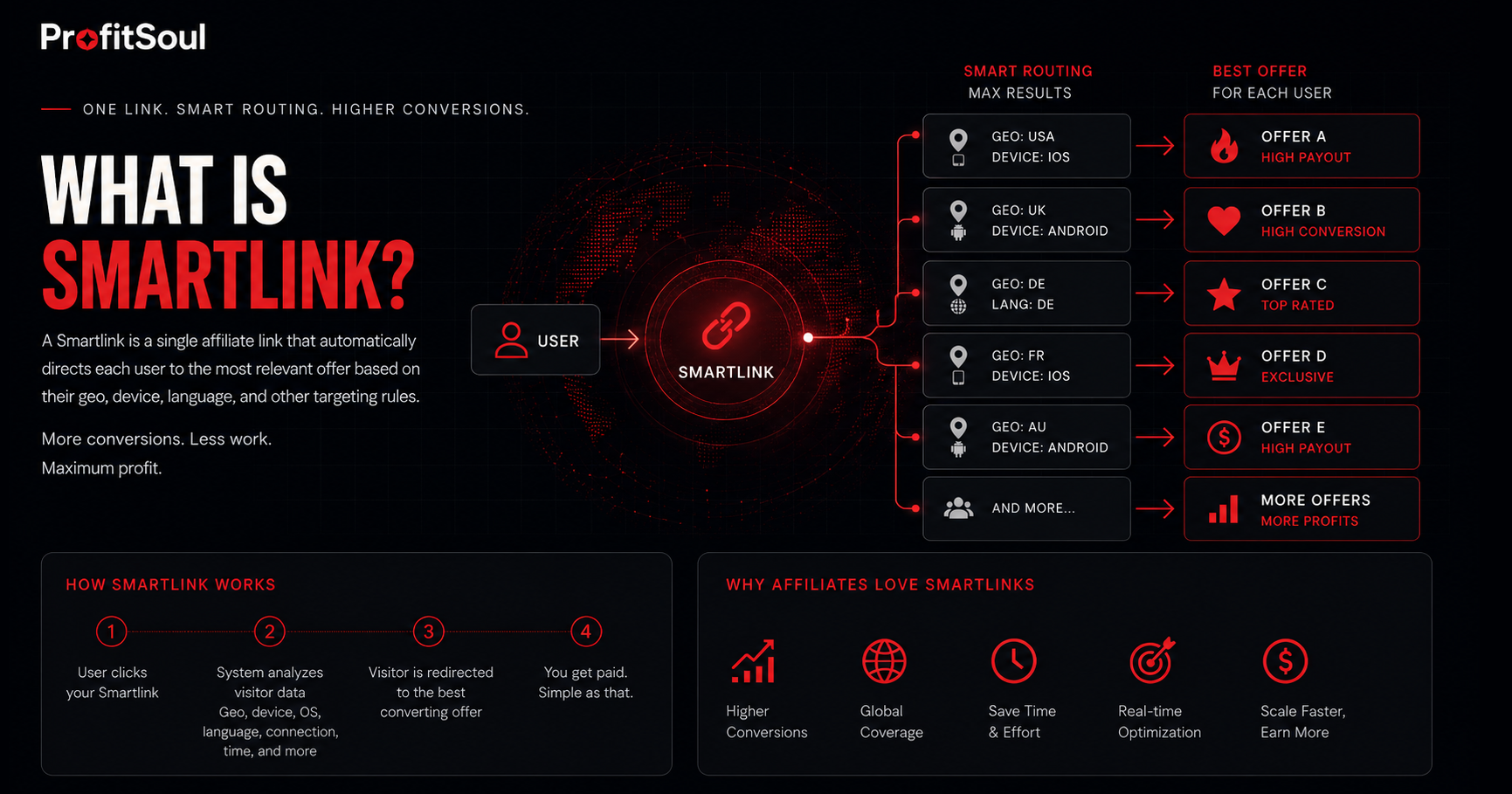
A Smartlink is a single affiliate tracking link that can automatically direct different visitors to different offers. The routing can take into account information such as GEO, device, traffic characteristics and the offers available within the campaign.
Instead of having one URL permanently connected to one landing page, a Smartlink acts as an entry point to a group of eligible offers.
The basic concept looks like this:
Visitor → Smartlink → Traffic Analysis → Relevant Offer → Conversion
This is the main difference between a Smartlink and a traditional affiliate link: the destination does not necessarily have to be the same for every visitor.
HOW DOES A SMARTLINK WORK?
When a visitor clicks a Smartlink, the system can evaluate the information available for that click and determine which offers are eligible for the visitor.
For example, imagine that your website receives traffic from Germany, the United States and France.
Instead of creating and maintaining three separate links, you could use one Smartlink:
Website → One Smartlink → Different eligible offers
A visitor from Germany may be routed toward one dating offer, while a visitor from the United States may see another. The exact routing logic depends on the Smartlink and the offers available in the affiliate program.
This routing process can be thought of as a Smartlink path: the click enters through one link and follows a particular path toward an eligible monetization opportunity.
SMARTLINK IN AFFILIATE MARKETING
A smartlink affiliate setup can be useful when an affiliate works with traffic that is not completely uniform.
Traditional affiliate marketing often means choosing a specific offer, generating a tracking URL and placing that URL on your website or inside a campaign.
That approach works well when you already know exactly which offer you want to promote. But what happens when your audience comes from several GEOs or devices?
An affiliate Smartlink can simplify this process by giving the affiliate one link that can serve multiple eligible offers.
This is one reason why Smartlink affiliate solutions are commonly used for broad or international traffic.
SMARTLINK VS REGULAR AFFILIATE LINK
Understanding Smartlink vs regular affiliate link starts with understanding how the destination is handled.
With a regular affiliate link, the structure is usually straightforward:
Click → Affiliate Link → Specific Offer
With a Smartlink, the structure can look more like this:
Click → Smartlink → Routing Logic → Eligible Offer
A regular affiliate link can therefore give you more direct control over the exact offer a visitor sees. A Smartlink, on the other hand, can reduce the amount of manual offer selection required.
Neither approach is automatically better in every situation. The right choice depends on your traffic, audience and campaign strategy.
WHY DO AFFILIATES USE SMARTLINKS?
One Link Instead of Many
One of the most obvious advantages of Smartlinks is simplicity. Instead of managing multiple links for different GEOs, you can use a single tracking URL when the campaign structure allows it.
Less Manual Work
When traffic changes, manually switching between offers can become time-consuming. Smartlink technology can automate part of that process.
Multiple GEOs
International websites often receive visitors from many countries. A Smartlink can be useful when the affiliate program has eligible offers for multiple GEOs.
Mixed Devices
Mobile and desktop traffic can behave differently. Depending on the system, device information can be part of the routing process.
Simpler Traffic Monetization
For publishers who want to monetize existing traffic without manually managing a large number of destination links, a Smartlink can provide a simpler monetization layer.
SMARTLINKS FOR DATING TRAFFIC
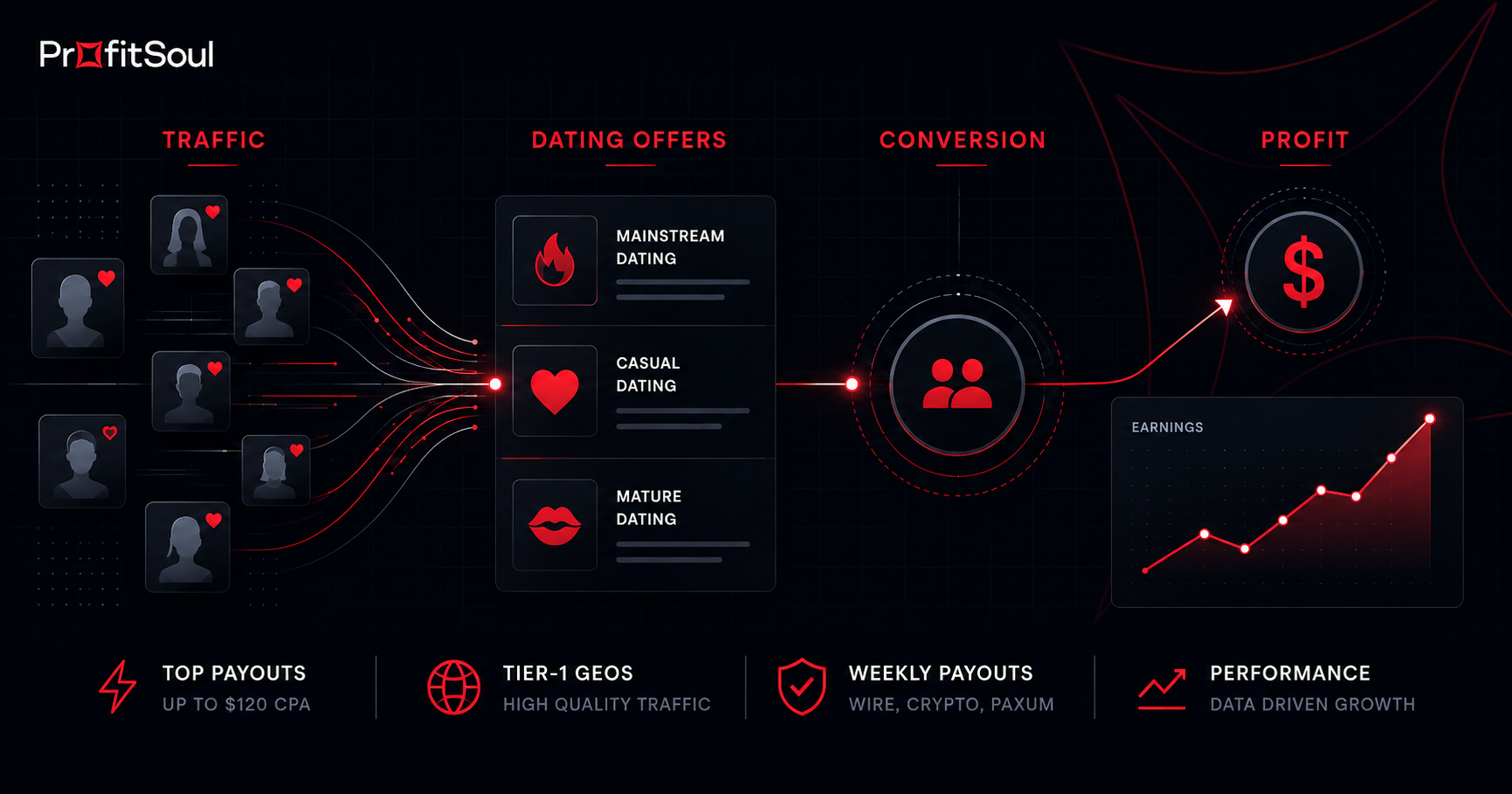
Dating affiliate marketing is a good example of where Smartlinks can be useful. Dating websites and traffic sources can attract audiences from different GEOs, devices and dating segments.
One website might receive traffic interested in mainstream dating, casual dating or mature dating, while also serving visitors from several countries.
Instead of creating a separate affiliate link for every possible combination, an affiliate can use a Smartlink when the available offer setup supports this type of routing.
For example:
Dating Website → Smartlink → Eligible Dating Offer
This can make Smartlinks particularly interesting for publishers who want to monetize dating traffic while keeping their website implementation simple.
One link can simplify the setup, but understanding your traffic is still essential for successful affiliate marketing.
HOW TO START SMARTLINK AFFILIATE MARKETING
If you are new to affiliate marketing, the process can seem more complicated than it actually is. The basic steps are straightforward.
1. Understand Your Traffic
Before choosing a monetization method, look at where your visitors come from. GEO, device, traffic source and audience intent can all affect which offers are relevant.
2. Choose an Affiliate Program
Look for an affiliate program that works with your traffic type and offers suitable campaigns for your audience.
3. Check the Available Smartlink
If the affiliate network provides a Smartlink, check which GEOs, traffic sources and promotional methods are supported.
4. Generate Your Tracking Link
Once your campaign is approved, generate your Smartlink or affiliate tracking URL through the network.
5. Place the Link
Add the link to an appropriate CTA, banner, contextual placement, landing page or other permitted traffic placement.
6. Track the Results
Monitor clicks, conversions, conversion rate, EPC and revenue. Use the data to understand which parts of your traffic perform best.
HOW TO SET UP AN AFFILIATE LINK
The exact process depends on the affiliate network, but the general workflow is similar.
First, select an offer or Smartlink available in your affiliate account. Then generate your tracking URL and place it where your visitors can interact with it.
If you are using a direct offer, the link normally points toward that specific campaign. If you are using a Smartlink, the link can act as a gateway to multiple eligible offers.
Before sending traffic, always verify the campaign's allowed traffic sources and promotional methods. An affiliate link does not automatically mean that every traffic format is permitted.
TRACKING AND OPTIMIZATION
Using a Smartlink does not mean you can stop analyzing your traffic. Automation can simplify routing, but performance still needs to be monitored.
Useful metrics include:
- Clicks
- Conversions
- Conversion rate
- EPC
- Revenue
- GEO performance
- Device performance
- Traffic source performance
For example, if mobile visitors from one GEO consistently generate stronger results than another segment, you have useful information for future traffic and placement decisions.
The goal is not simply to generate more clicks. The goal is to understand which traffic produces sustainable revenue.
COMMON SMARTLINK MISTAKES
Expecting the Smartlink to Fix Poor Traffic
A Smartlink can help with routing, but it cannot turn irrelevant or low-quality traffic into valuable users.
Ignoring Offer Restrictions
Different campaigns can have different rules regarding GEOs, traffic sources, creatives and promotional formats. Always check the specific campaign requirements.
Looking Only at Clicks
A high click-through rate does not necessarily mean high revenue. Conversions, EPC and overall earnings provide a much better picture of performance.
Assuming Every Smartlink Works the Same Way
Smartlink technology can differ between affiliate networks. Routing logic, available offers and optimization methods depend on the platform and campaign.
SMARTLINKS WITH PROFITSOUL
ProfitSoul uses Smartlink technology as part of its dating affiliate monetization setup. Affiliates can use a single tracking link to work with eligible dating offers across supported traffic segments.
This can be especially useful for affiliates and publishers working with multiple GEOs or different types of dating traffic.
Instead of manually managing a separate destination for every visitor, you can use one Smartlink and let the system handle the available routing options based on the campaign setup.
For beginners, this can make getting started with affiliate marketing simpler. For experienced affiliates, it can reduce manual link management and provide another way to test and monetize broader traffic.
The best approach still depends on your traffic. If you already know that a specific offer performs well for a specific audience, a direct affiliate link may be the better choice. If your traffic is broader or more varied, a Smartlink can be worth testing.
Smartlink technology does not replace a good affiliate strategy. It gives you a simpler way to manage the path between traffic and offers.